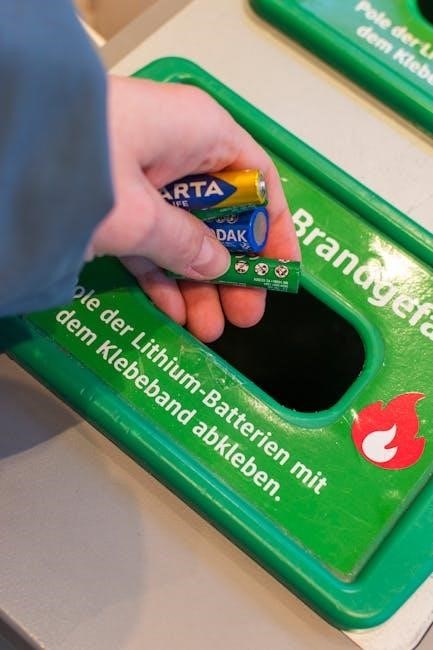
Battery Tender Junior Manual: A Comprehensive Guide
This manual details the Battery Tender Junior’s operation, covering setup, battery compatibility, charging modes, troubleshooting, and health monitoring for optimal performance.
Understanding the Battery Tender Junior
The Battery Tender Junior is a compact, intelligent battery charger designed for maintaining lead-acid, AGM, and gel batteries. It’s a crucial tool for anyone storing vehicles, motorcycles, boats, or other equipment with 12V batteries for extended periods. Unlike traditional chargers, the Junior doesn’t simply deliver a constant charge; it utilizes a multi-stage charging process to optimize battery health and longevity.
Its primary function is to prevent sulfation, a common issue that occurs when batteries are left discharged, reducing their capacity and lifespan. The Junior intelligently switches between charge modes – bulk, absorption, and float – to ensure the battery receives the precise power it needs, when it needs it. This proactive approach ensures your battery remains topped off and ready for use, even after months of inactivity. Understanding these core principles is key to maximizing the benefits of your Battery Tender Junior;
What is a Battery Tender?
A Battery Tender is a specialized type of battery charger focused on maintaining a battery’s charge rather than rapidly recharging a deeply discharged one. It’s designed for long-term connection, providing a low, consistent current to counteract the natural self-discharge of batteries and prevent sulfation – the buildup of lead sulfate crystals that reduces battery capacity. Think of it as a trickle charger, but far more intelligent and sophisticated.
Unlike conventional chargers that can overcharge and damage batteries, a Battery Tender employs a multi-stage charging process. It assesses the battery’s condition and adjusts the charging rate accordingly, switching between bulk, absorption, and float modes. This ensures the battery remains at its optimal voltage without being overstressed. Essentially, a Battery Tender keeps your battery in peak condition, extending its lifespan and ensuring it’s always ready when you need it, making it ideal for seasonal vehicles or infrequently used equipment.
Key Features of the Battery Tender Junior
The Battery Tender Junior boasts several key features making it a popular choice for battery maintenance. It’s a fully automatic, multi-stage charger, switching seamlessly between charge cycles to optimize battery health. Its compact size and lightweight design enhance portability and ease of storage. The unit is designed for 12V lead-acid, AGM, and gel batteries, offering broad compatibility.
A standout feature is its low amperage output – typically around 0.8 amps – which is ideal for maintaining batteries without overcharging. It includes short circuit, reverse polarity, and over-temperature protection, ensuring safe operation. Clear indicator lights display the charging status, providing real-time feedback. Furthermore, the Battery Tender Junior is designed for continuous operation, allowing for long-term battery maintenance without risk of damage, making it a reliable and user-friendly solution.

Setting Up Your Battery Tender Junior
Proper setup involves securely connecting the charger to the battery terminals and a standard AC power outlet, then observing the indicator lights for correct operation.

Connecting to the Battery
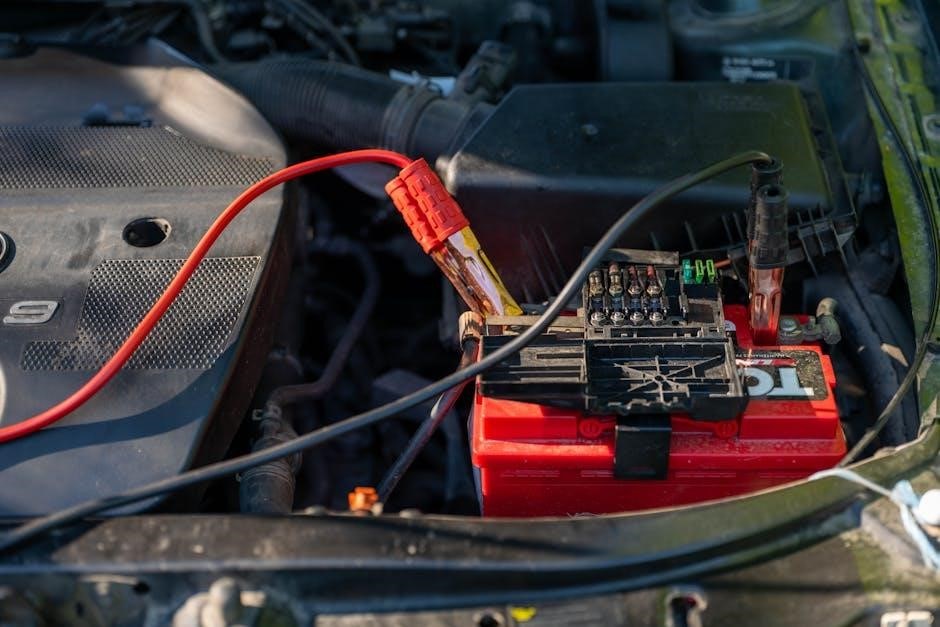
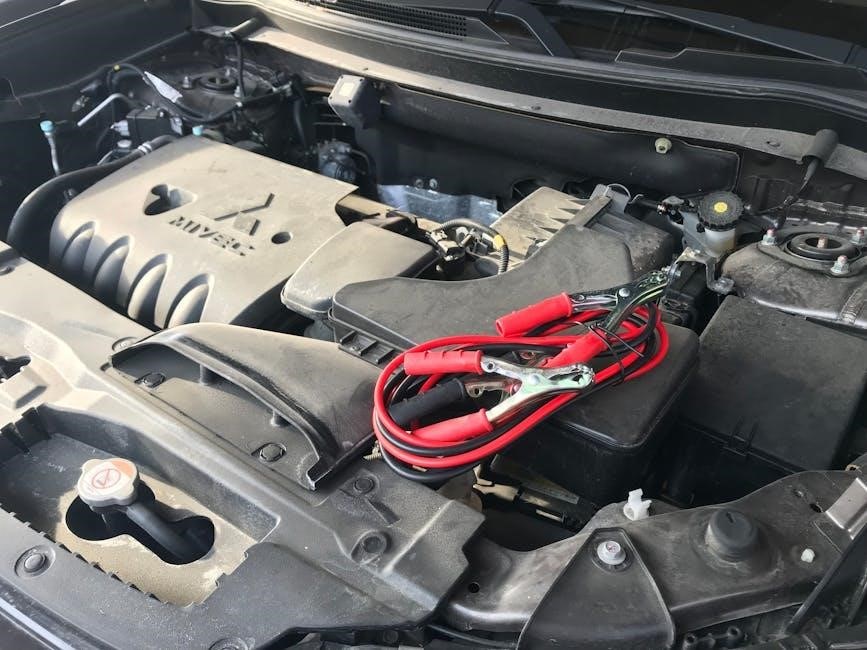
Establishing a secure connection to your battery is crucial for safe and effective charging. Begin by ensuring the battery is in a well-ventilated area, free from flammable materials. Connect the red (positive) clamp of the Battery Tender Junior to the positive terminal of the battery, and the black (negative) clamp to the negative terminal.
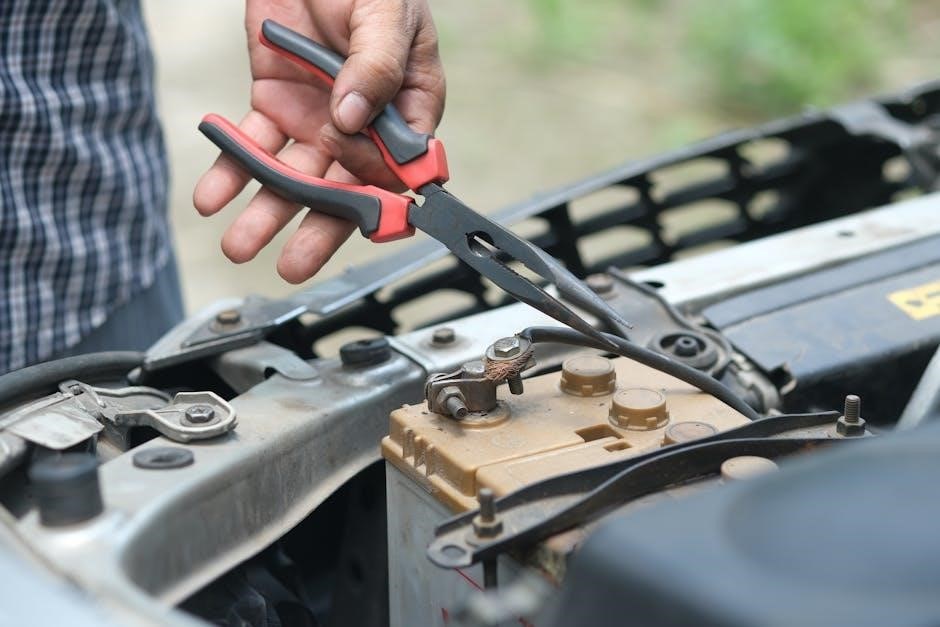
Double-check the polarity before proceeding; reversed connections can damage both the charger and the battery. A firm, clean connection is essential – corroded terminals should be cleaned with a wire brush or terminal cleaner before attachment. Ensure the clamps are securely fastened, preventing accidental disconnections during the charging process.
For optimal results, disconnect the battery from the vehicle’s electrical system to prevent parasitic drains during charging. If disconnection isn’t feasible, the Battery Tender Junior can still maintain the battery, but charging times may be extended. Always refer to the battery manufacturer’s guidelines for specific connection recommendations.
AC Power Connection
Proper AC power connection is vital for the Battery Tender Junior’s functionality and safety. Before plugging in, verify that the power outlet is grounded and matches the charger’s voltage requirements (typically 120V AC in North America). Use a standard three-prong AC outlet; avoid using extension cords whenever possible, as they can reduce voltage and potentially overheat.
If an extension cord is necessary, ensure it’s a heavy-duty cord rated for at least the charger’s amperage. Insert the Battery Tender Junior’s plug firmly into the outlet, avoiding loose connections. Inspect the power cord regularly for any signs of damage, such as cuts or fraying, and replace it immediately if found.

Never operate the charger with a damaged power cord. The unit is designed for indoor use only; avoid exposing it to moisture or extreme temperatures. Confirm the AC power indicator light illuminates upon connection, signifying the charger is receiving power and ready for operation.
Indicator Lights Explained
The Battery Tender Junior utilizes indicator lights to communicate its charging status. A solid red light signifies the charger is in the constant current phase, delivering maximum amperage to the battery. This indicates the battery is significantly discharged and actively being charged. Once the battery reaches approximately 80% capacity, the light will turn to a solid green, indicating the constant voltage (float) phase.
A flashing red light signals a potential issue, such as a reverse polarity connection or a faulty battery. Disconnect the charger immediately and verify the connections are correct. A flashing green light typically indicates the battery is fully charged and being maintained in float mode.
If no light illuminates, check the AC power connection and ensure the battery connections are secure. Understanding these light patterns is crucial for monitoring the charging process and identifying any potential problems. Refer to the troubleshooting section for further assistance if encountering unusual light behavior.
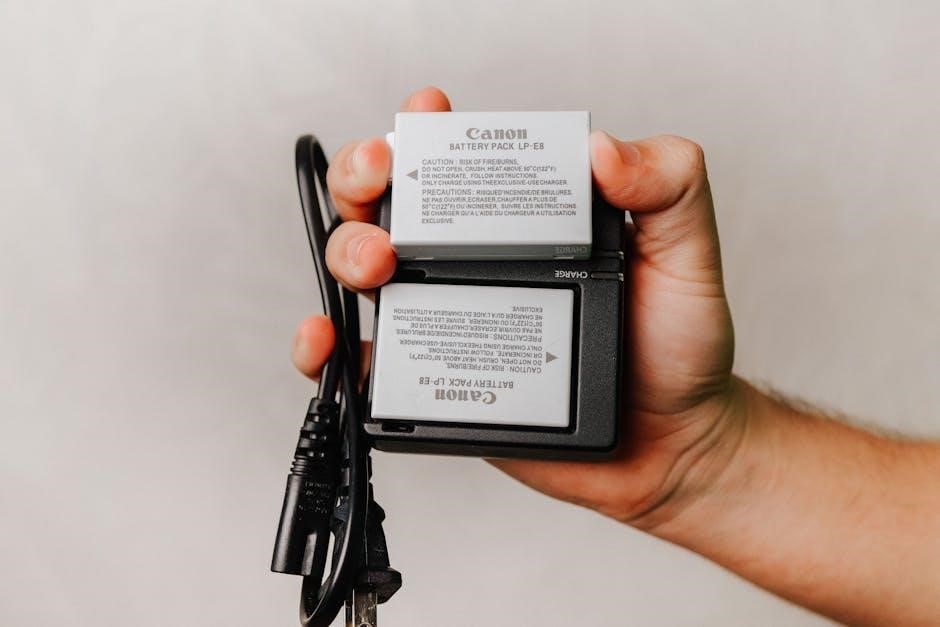
Battery Types and Compatibility
The Battery Tender Junior is designed for compatibility with lead-acid, AGM, and gel batteries, offering versatile charging solutions for various applications and battery chemistries.
Lead-Acid Batteries
Lead-acid batteries are a common and cost-effective power source, frequently found in vehicles, motorcycles, and various backup power systems. The Battery Tender Junior excels at maintaining these batteries, preventing sulfation – a primary cause of lead-acid battery failure during periods of inactivity. Proper maintenance is crucial, as lead-acid batteries self-discharge over time, and the Junior’s float charging mode effectively compensates for this.
When connecting to a lead-acid battery, ensure the charger’s polarity is correct (red to positive, black to negative). The Junior automatically detects the battery’s voltage and adjusts the charging process accordingly. It’s important to note that lead-acid batteries require a full charge periodically to maximize their lifespan. The Battery Tender Junior’s automatic charging cycle ensures optimal charging without overcharging, extending the battery’s overall health and usability. Regular use with the Junior will help maintain peak performance and longevity for your lead-acid batteries.
AGM Batteries
Absorbent Glass Mat (AGM) batteries are a type of sealed lead-acid battery known for their spill-proof design and vibration resistance, making them ideal for powersports and marine applications. The Battery Tender Junior is fully compatible with AGM batteries, providing a safe and effective charging solution. Unlike traditional flooded lead-acid batteries, AGMs require a specific charging profile to prevent damage and maximize lifespan.
The Junior’s intelligent charging algorithm automatically adjusts to the AGM battery’s unique characteristics, delivering the correct voltage and current. It’s crucial to avoid overcharging AGM batteries, as this can lead to gassing and reduced performance. The Battery Tender Junior’s float charging mode maintains the battery at its optimal voltage, preventing overcharge and ensuring long-term health. Regular maintenance with the Junior will help preserve the AGM battery’s capacity and reliability, extending its service life and providing consistent power when needed;
Gel Batteries
Gel batteries, another sealed lead-acid variant, utilize a gelled electrolyte instead of a liquid, offering exceptional spill-proof characteristics and deep-cycle capabilities. The Battery Tender Junior is also suitable for charging gel batteries, but requires careful attention to charging parameters. Gel batteries are particularly sensitive to overcharging, which can cause irreversible damage to the gel structure and significantly reduce battery life.
The Junior’s automatic charging cycle is designed to accommodate gel batteries, but it’s recommended to monitor the initial charging process. Ensure the battery doesn’t get excessively warm during charging. The float mode is essential for maintaining gel batteries at their optimal voltage without causing harm. Consistent, proper charging with the Battery Tender Junior will help maintain the gel battery’s performance and longevity, ensuring reliable power for various applications. Avoid fast charging or exceeding the manufacturer’s recommended voltage limits.
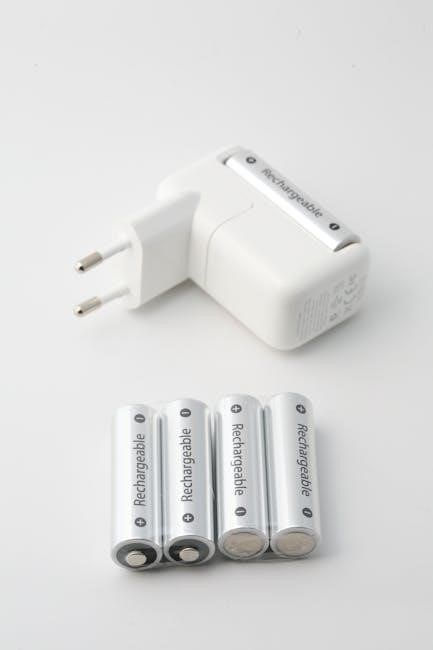
Charging Modes & Operation
The Battery Tender Junior employs an automatic charging cycle, transitioning to float or maintenance modes to optimize battery health and prevent overcharging effectively.
Automatic Charging Cycle
The Battery Tender Junior’s automatic charging cycle is a multi-stage process designed to efficiently and safely restore and maintain battery health. Initially, the unit enters a bulk charging phase, delivering maximum current to the battery until it reaches approximately 80% of its capacity. This stage rapidly replenishes the battery’s charge.
Following the bulk charge, the charger transitions to an absorption phase, where the voltage is held constant while the current gradually decreases. This ensures the battery is fully charged without overstressing it. Once the absorption phase completes, the charger moves into the float mode, maintaining a steady voltage to compensate for self-discharge and keep the battery at 100% readiness.
This entire cycle is automatically managed by the Battery Tender Junior, eliminating the need for manual intervention. The charger continuously monitors the battery’s voltage and current, adjusting the charging process as needed to optimize performance and longevity. This intelligent approach makes it ideal for long-term battery maintenance.
Float Charging Mode
The Float Charging Mode is a crucial component of the Battery Tender Junior’s functionality, designed for long-term battery maintenance. Once the battery reaches full charge, the charger seamlessly transitions to this mode, reducing the voltage to a safe level that prevents overcharging and sulfation. This ensures the battery remains at peak capacity without degradation over extended periods.
During float charging, the Battery Tender Junior continuously monitors the battery’s voltage and provides a small current to compensate for natural self-discharge. This maintains the battery at 100% readiness for immediate use. It’s ideal for batteries used seasonally or infrequently, like those in motorcycles, classic cars, or RVs.
The float mode significantly extends battery life by minimizing stress and preventing the formation of lead sulfate crystals, a common cause of battery failure. This intelligent feature makes the Battery Tender Junior a reliable solution for preserving battery health during storage or periods of inactivity.
Maintenance Charging
Maintenance charging, facilitated by the Battery Tender Junior, is a long-term strategy for preserving battery health and extending its lifespan. It’s more than just keeping a battery topped off; it’s a dynamic process of monitoring and compensating for the battery’s natural self-discharge rate. This ensures the battery remains consistently at its optimal charge level, even when not in use.
The Battery Tender Junior automatically cycles between charging and float modes during maintenance charging. This prevents overcharging, a common cause of battery damage, and minimizes sulfation, which reduces battery capacity. It’s particularly beneficial for batteries in seasonal vehicles or equipment stored for extended periods.
Regular maintenance charging with the Battery Tender Junior can significantly improve battery longevity, reducing the need for frequent replacements. It’s a cost-effective and convenient way to ensure your batteries are always ready when you need them, maximizing their performance and reliability over time.
Troubleshooting Common Issues
Addressing problems like no power, slow charging, or flashing indicator lights is crucial. This section provides solutions to common Battery Tender Junior malfunctions.
No Power to the Unit
If your Battery Tender Junior isn’t powering on, several checks are necessary. First, verify the AC power connection is secure, both at the wall outlet and the unit itself. Ensure the outlet is functioning correctly by testing it with another device. Next, inspect the DC connections to the battery; loose or corroded connections can prevent power flow.
The unit’s internal fuse should be examined. A blown fuse indicates a potential internal fault and requires replacement with the correct amperage rating – do not substitute a higher amperage fuse. If the fuse continues to blow, the unit likely needs professional repair or replacement. Confirm the battery itself has some residual charge; a completely dead battery might not trigger the Tender to initiate.
Finally, double-check the polarity of the connections. Reversed polarity can damage the unit and prevent it from powering on. Always connect red to positive (+) and black to negative (-). If these steps don’t resolve the issue, contact the manufacturer’s support for further assistance.
Slow Charging
Experiencing slow charging with your Battery Tender Junior can stem from several factors. The battery’s initial state of discharge significantly impacts charging speed; a deeply discharged battery will take considerably longer to reach full charge. Battery type also plays a role – AGM and Gel batteries often charge slower than standard lead-acid batteries.
Ensure the DC connections are clean and tight. Corrosion or looseness increases resistance, hindering current flow. The length and gauge of the DC cables matter; longer or thinner cables can reduce charging efficiency. Ambient temperature also affects charging speed; extreme temperatures can slow down the process.
Verify the battery’s capacity matches the Tender’s specifications. Attempting to charge a battery outside the recommended capacity range can lead to slow or incomplete charging. If the issue persists, consider testing the battery’s health with a multimeter to rule out internal damage or sulfation.
Indicator Light Flashing
A flashing indicator light on your Battery Tender Junior signals a specific issue requiring attention. Typically, a flashing red light indicates a problem with the battery or connection. This could be due to reverse polarity – ensure the red clamp is connected to the positive terminal and black to negative. A poor connection, indicated by intermittent flashing, requires checking cable tightness and cleaning corroded terminals.
If the battery is severely sulfated or damaged, the Tender might flash to indicate it cannot establish a proper charge. Attempting to charge a completely dead battery can also trigger a flashing light. Ensure the battery type selected is compatible with the Tender’s settings.
Consult the manual for specific flash codes, as different patterns denote different problems. If the flashing persists after verifying connections and battery health, the unit itself may be faulty and require professional assessment.
Battery Health & Monitoring
Regularly assess your battery’s condition using apps like AccuBattery or Battery Guru, or Windows tools like BatteryCare, to track capacity and overall health.
Using Battery Health Apps (AccuBattery, Battery Guru)
Dedicated smartphone applications, such as AccuBattery and Battery Guru, provide detailed insights into your battery’s performance beyond what standard operating systems offer. These apps monitor charging cycles, estimate battery capacity based on usage patterns, and display real-time charging power – crucial for understanding how quickly your battery is replenishing.
AccuBattery excels in providing precise battery usage information and capacity measurements, helping you understand your battery’s wear level over time. Battery Guru, conversely, offers a broader range of features, including temperature monitoring and optimization tips. Both apps can help identify potentially problematic charging habits or apps that excessively drain power.
For more accurate charging power measurements, consider a USB power meter, though these are generally more useful for users who require precise data. These tools complement the software-based insights, offering a comprehensive view of your battery’s health and charging characteristics. Ultimately, the best app depends on individual needs and preferences.
Understanding Battery Capacity Measurement
Battery capacity, typically measured in Ampere-hours (Ah), represents the amount of electrical charge a battery can store. However, determining accurate capacity isn’t as simple as a voltage reading. A common method involves constant current discharge – discharging the battery at a fixed rate (e.g., 1A) and measuring the total charge delivered over time.
Graphically, capacity is represented by the area under the discharge curve. Simply multiplying voltage by time provides an inaccurate result; the area accurately reflects the total energy delivered. This method is particularly useful for battery packs, like those found in electric vehicles, where overall pack capacity is critical.
Understanding capacity is vital for assessing battery health. A declining capacity indicates wear and tear, impacting runtime. Tools and apps estimate capacity based on discharge patterns, providing valuable insights. Accurate capacity measurement ensures optimal performance and longevity when using a Battery Tender Junior.
Windows Battery Health Tools (BatteryCare, ASUS Battery Health Charging)
Windows offers several tools for monitoring battery health, complementing the Battery Tender Junior’s charging capabilities. BatteryCare is a free application providing detailed insights into battery wear, charge cycles, and temperature. It helps users understand their battery’s condition and potential lifespan.
Some manufacturers, like ASUS, include dedicated software. ASUS Battery Health Charging employs intelligent charge control, aiming to extend battery life by optimizing charging and discharging patterns. These tools can limit charge to 80%, reducing stress on the battery.
These software solutions provide valuable data for proactive battery management. Monitoring charge cycles and health status allows users to adjust usage habits and optimize charging routines, maximizing battery longevity alongside the benefits of a maintained charge from the Battery Tender Junior.

Advanced Considerations
Explore HAGS impact on power, capacity calculations using constant current discharge, and Win11 health checks for a deeper understanding of battery performance optimization.
HAGS (Hardware Accelerated GPU Scheduling) & Battery Life
Hardware Accelerated GPU Scheduling (HAGS), a feature within Windows, aims to reduce latency and improve performance by directly managing GPU resources. However, its impact on battery life is a complex topic. While potentially boosting frame rates in games, HAGS can also increase GPU power consumption, potentially shortening battery runtime, especially on laptops.
The core idea behind HAGS is to allow the GPU to manage its own memory, rather than relying on the CPU to schedule tasks. This can lead to more efficient resource allocation, but it also means the GPU is more actively involved, drawing more power. Whether the performance gains outweigh the battery life cost depends heavily on the specific hardware, software, and usage scenario.
Users experimenting with HAGS should monitor their battery life closely. If a noticeable decrease is observed, disabling HAGS might be beneficial. It’s a trade-off between graphical performance and energy efficiency, requiring individual assessment to determine the optimal setting for a given system and workload. Consider testing with and without HAGS enabled to quantify the impact on your Battery Tender Junior-charged device.
Battery Capacity Calculation Methods (Constant Current Discharge)
Determining a battery’s true capacity often involves a constant current discharge test. This method provides a more accurate reading than simply relying on the battery’s nominal voltage. The process involves discharging the battery at a steady current (e.g., 1A) and measuring the time it takes to reach a specified cut-off voltage.
Capacity (in Ampere-hours, Ah) is calculated by multiplying the discharge current by the discharge time. For example, a 1A discharge sustained for 2 hours yields a capacity of 2Ah. Graphically, this is represented as the area under the discharge curve – voltage versus time. Simply using the voltage isn’t accurate, as voltage drops during discharge;
This method is particularly crucial for battery packs, like those in electric vehicles, where precise capacity knowledge is vital. When using a Battery Tender Junior, understanding a battery’s actual capacity helps optimize charging cycles and assess its overall health; Accurate capacity assessment ensures the charger delivers the appropriate charge, maximizing battery lifespan and performance.
Win11 Battery Health Checks
Windows 11 offers several built-in tools for assessing laptop battery health, complementing the Battery Tender Junior’s charging capabilities. The command prompt allows generating a battery report (powercfg /batteryreport) detailing design capacity, full charge capacity, and usage history. This report reveals capacity degradation over time.
Additionally, Microsoft’s BatteryCare software provides a user-friendly interface for monitoring battery health, charge cycles, and temperature. ASUS laptops often include ASUS Battery Health Charging, offering intelligent charge control to extend battery lifespan. These tools help understand if the battery is performing as expected.
Integrating these Windows checks with the Battery Tender Junior’s maintenance charging ensures optimal battery conditioning. Regularly monitoring battery health allows proactive adjustments to charging habits, maximizing longevity and preventing unexpected failures. A healthy battery, combined with smart charging, delivers reliable power when needed.